 Unix / MacOS Unix / MacOS
- Webmaster
The easy way is to use :
- RPM package for Mandriva
- Debian package for Debian/Ubuntu.
- MacOS package for MacOS
Then go to http://127.0.0.1/w3perl/admin/ to run the stats or change
the default configuration files.
If you want to use the tarball :
- Uncompress the w3perl package inside your web server tree.
- Edit two paths in the installation script (install.pl) and run it.
- Build your configuration file via the administration interface
- Move your configuration file to the w3perl cgi-bin location.
- Launch stats either by commands line or via the administration interface.
- Add an entry in your crontab to update stats daily
(cron-w3perl.pl -e)
- Provider (FTP)
- Download the w3perl.tar.gz package on your own local host.
- Uncompress the w3perl package.
- Edit two paths in a script (init.pl) [optional].
- Create two sub-directories on your provider using FTP
- Upload the files on your provider using FTP
- Changing some file permissions using FTP.
- Launch the web admin interface with your browser (if the optional script have been uploaded).
- Build/Customize a configuration file (predefined one exists).
- Move your configuration within the scripts.
- Run the stats from the web admin
- Ask your ISP to add a crontab to update your stats daily
(cron-w3perl.pl -e)
|
Windows
If you want to compute your stats locally or your web server is running on a Windows OS.
You'll need to install StrawberryPerl or ActivePerl first. Installing W3Perl with
the NSIS installer is straight forward and a default configuration
file is provided so stats can be run within a few minutes.
- IIS
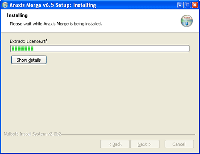
NSIS install the scripts
|
With the help of NSIS, installation is
just a matter of downloading w3perl-iis.exe. A dedicated help is
provided in the documentation.
IIS 7.0 user should activate the IIS 6 metabase compatiblity
Once installed, a default configuration file is provided so you are
able to launch the stats.
|
- Apache
A binary is available for the Apache >= 2.2.
See documentation for more details.
- Abyss
A binary is available for Abyss Web Server.
See documentation for more details.
- No server
Users who want to compute their stats locally (without any web server
running) can use the w3perl.exe which require only Perl. Logfiles may be retrieved by the package from your server. Some
features won't be available as they require cgi or Ajax.
|
No logfile
If you don't have access to your logfiles, W3Perl is able to create
them for you. As others web analytics tool, a
javascript tag need to be
inserted in your web page. Installing the package on your server is
really easy : 2 scripts (a javascript and a PHP) and one directory to
store the logfile (this one should be password protected).
Of course, use the javascript tag method only if you don't have
logfile access as server's logfiles contains much more data (Trafic for example).
If you want to monitor your external links, you can use a small php script which will build
a logfile for you. It could be nice to know how many people are leaving your homepage or if
they clicks on your sponsor links. A counter file is also build so you can add the number of clicks
in front of each external links. A logfile is created so you can use W3Perl later to get stats.
|