First step is to create a configuration file. Some are
provided for default configuration (Mandrake, IIS). If you want to use
a default one, you can already launch the stats.
Configuration can be build from scratch (make), from a default
configuration provided (modify) or from your own build (clone).
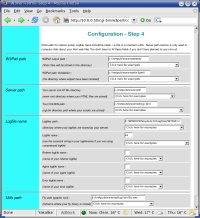
Several forms will help you to create a configuration file for
W3Perl. All you need is to make some choices about the kind of stats
you need and give informations about the kind of logfile your server is using.
If you have already build a configuration file and just want to alter
some fields, select the configuration file you have made and the forms
will be filled with your previous choice.
Not yet available
Check the configuration you have build are self-consistent. If you
select stats about the countries, your logfile doesn't resolve IP
address to hostname and you didn't select the reverse dns option,
you'll be warmed about the problem.
If you want to create a new configuration file using a previous one as
a model, the 'clone' option will save you a lot of time, avoiding to
fill again all the forms.
You can also delete your configuration file if you think they will be
no more useful. Be careful as they can't be recover.
|